Messenger SMS - Text Messages
- 4.6
- Rating
- 50.00M
- Installs
- Free
- Price

 Analysis by App-foxy
I usually judge a texting app by a simple question: does it make everyday conversations easier without getting in the way? Messenger SMS - Text Messages takes that practical route. It is a communication app built around ordinary SMS messaging, so its appeal is less about replacing every social platform and more about giving your phone’s text conversations a cleaner, more manageable home. After spending time with it, I found it most convincing for people who want a straightforward texting experience with a few useful habits and settings rather than a complicated all-in-one messenger.
The app is free to download and is suitable for Everyone. It comes from SMS Messenger, Text App, and its current version is 2.9.4. It has been available since January 15, 2016, and supports devices running Android 6.0 or later. That broad compatibility matters if you are using an older phone and do not want to replace a familiar texting workflow simply because a newer app demands a recent operating system.
How the everyday texting workflow feels
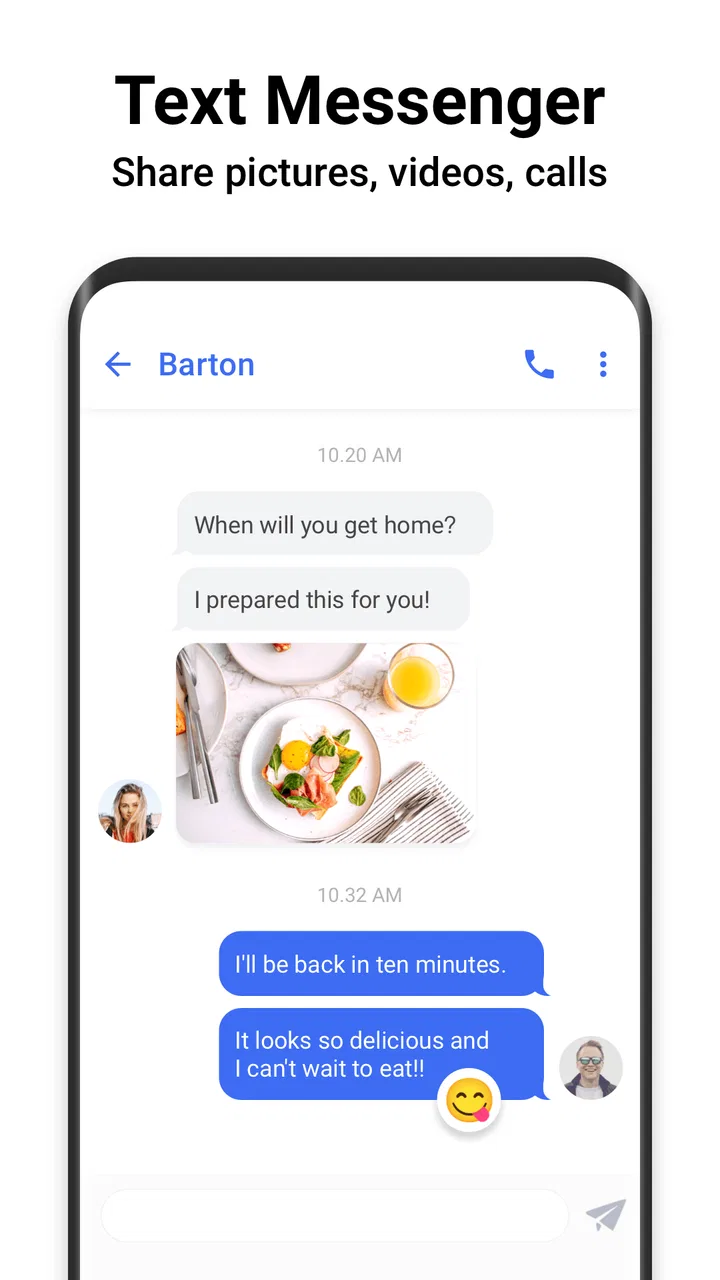
The basic routine is refreshingly familiar: open a conversation, read the latest messages, write a reply, and send it. I would not choose this app expecting a social feed, a community, or a replacement for internet-based services such as WhatsApp or Messenger. Its job is narrower and, for many people, more useful: keep SMS conversations accessible and make routine texting feel less cluttered.
You May Also Like

 Blood Strike: 2.5 Anniversary
Blood Strike’s Loadouts Turn Every Drop Into a Tactical Gamble
A close look at Blood Strike’s custom loadouts: how fast access to signature weapons reshapes its battle royale rhythm, rewards preparation, and narrows the gap between fights.

 Pandora - Music & Podcasts
Pandora’s Music Is Easy to Start, but Harder to Recover
Pandora’s strength is its low-effort path from a seed to a station. Its weak spot is how much confidence it asks you to place in connection, setup, and quiet recovery.

 8 Ball Pool
 Is Built on Rivalries, Rematches, and Routine
A close look at the rivalries, rematches, shared routines, and unanswered safety questions that turn a quick pool match into a persistent mobile community.

 Samsung Music
’s Quiet Strength Is Playing What You Already Own
Its reach comes less from spectacle than from dependable access to a personal library. That simplicity is both the app’s strongest retention engine and its ceiling.

 AccuWeather: Weather Radar
AccuWeather Review: A Quick, Clear Forecast for Everyday Decisions
For everyday plans, the best forecast is the one you can understand quickly. AccuWeather makes rain timing, radar, and local conditions easy to act on, with a few trade-offs.

 Hill Climb Racing
Why Hill Climb Racing Still Turns Crashes Into One More Run
A tiny car, a bumpy hill and one more upgrade: Hill Climb Racing keeps resurfacing because its simple chaos makes every near-miss feel personal.
More From Our News Desk



That focus is especially helpful when your contacts do not all use the same online service. SMS remains the common denominator for family members, work contacts, delivery drivers, schools, businesses, and people who prefer not to maintain several messaging accounts. In those situations, an SMS-focused app avoids the awkward question of which platform everyone should join.
One realistic example is a busy weekday morning. I might need to confirm an appointment, answer a family message, and send a short update to someone who is not using the same chat service as me. With this app, those conversations stay in one familiar texting environment instead of being scattered across several separate platforms. The benefit is not dramatic; it is the steady reduction of small points of friction.
The interface is best understood as a tool for repeated actions. You do not need to learn a new social system or build a profile before messaging. That makes the first few minutes easy, but it also means the experience depends heavily on how well your phone handles SMS and how organized your contacts already are. If your address book contains duplicate entries, vague names, or old numbers, the app cannot magically solve the underlying mess.
I also like that the app’s purpose is immediately clear. Some messaging products combine texting with stickers, channels, stories, calls, payments, and other extras. Those features can be valuable, but they can also make a simple reply feel like navigation through a small platform. Messenger SMS - Text Messages stays closer to the traditional phone-message model, which is a strength for users who want fewer distractions.
The first settings I would check
My first recommendation is to spend a few minutes reviewing the available settings before treating the app as your permanent texting tool. Experienced users tend to get more from it because they shape the app around their existing habits instead of accepting every default. The exact choices that matter most will depend on your phone, contact list, and notification preferences, but the principle is consistent: make incoming messages easy to notice and outgoing messages easy to send.
Start with notifications. If you receive a lot of texts, overly frequent alerts can become tiring; if you rely on SMS for appointments or work, muted or unclear alerts can be a real problem. I would choose a notification style that lets me recognize a new message without opening the entire app immediately. Then I would test it with a message from a trusted contact so I know the result matches what I expect.
Next, look at conversation organization. A texting app becomes much more useful when important threads remain easy to find and low-priority conversations do not dominate the screen. If Messenger SMS - Text Messages offers the relevant controls on your device, use them deliberately rather than changing everything at once. Make one adjustment, use the app for a day, and then decide whether it genuinely improves your routine.
Another worthwhile check is the default messaging role on Android. A phone may ask which app should handle SMS, and choosing the wrong option can create confusion about where new messages appear. If you are switching from another texting app, make the change carefully, send a test message, and confirm that replies arrive in the same place. This small verification step is more valuable than assuming the transition worked perfectly.
Privacy deserves a practical check too. Text messages are not the same as encrypted internet chats, and changing the app you use to read or send them does not turn SMS into a different communication standard. I would avoid treating the app as a secure channel for sensitive information simply because the interface feels modern or tidy. For ordinary coordination it is convenient; for confidential conversations, a service designed around stronger privacy may be a better choice.
Habits that make routine texting faster
The biggest speed improvement comes from reducing repeated decisions. I keep frequent contacts clearly named, avoid starting a new thread when an existing conversation is available, and write short messages with the important detail near the beginning. These habits sound basic, but they matter more than decorative features when you send texts throughout the day.
A useful pattern is to separate information from emotion when a message is time-sensitive. Instead of beginning with a long explanation, I put the action first: the arrival time, the address, the confirmation, or the question. This makes the conversation easier to scan later and reduces the chance that the recipient misses the point in a busy thread.
For repeatable tasks, I prepare a few personal message templates outside the app, such as directions to my home, a standard appointment confirmation, or a short “running late” note. I do not assume the app has a special template system; the useful technique is simply to keep recurring wording easy to reproduce with the phone’s normal text tools. It saves time without relying on features that may vary between devices.
Contact selection is another place where a little discipline helps. Before sending a message to a familiar name, I check the number when the conversation is important, especially if my address book contains several people with similar names. SMS is wonderfully direct, but that directness means a mistaken recipient can receive the message immediately. A quick glance is a better habit than trying to undo an avoidable error.
I also recommend using the app in short review sessions rather than constantly reopening it. Once in the morning and once later in the day may be enough for non-urgent conversations, while important contacts can remain enabled for immediate alerts. This approach keeps texting from becoming a stream of interruptions and makes the app serve your schedule instead of controlling it.
Where it compares well with other messaging choices
Compared with the default messaging app on a phone, Messenger SMS - Text Messages is worth considering if you prefer its particular layout or find its handling of everyday conversations more comfortable. The advantage is personal rather than universal: the best choice is the one that lets you find threads quickly, understand notifications, and reply without hesitation.
Compared with internet messaging services, the trade-off is clearer. SMS does not require every recipient to register for the same platform, which is excellent for mixed groups of contacts. On the other hand, online messengers are often better for large media files, group coordination, reactions, voice and video features, and conversations that need a data connection rather than the phone network. I would use this app for broad reach and simplicity, not for advanced group collaboration.
It also differs from feature-heavy messaging suites. Those products may offer more customization, richer media tools, or deeper social functions. Messenger SMS - Text Messages is easier to understand because it concentrates on texting, but users who want one app for every kind of communication may find that focus limiting.
The app has earned a 4.7 average from around 361 thousand ratings, with more than 29 thousand written reviews and over 50 million installs. Those figures suggest that the straightforward approach has connected with a large audience, although popularity should not replace personal testing. A texting app can feel excellent on one phone and merely adequate on another because notification behavior, contact handling, and system defaults vary.
Limits that experienced users should understand
The most important limitation is that this remains an SMS-centered tool. It cannot provide the full experience of an internet messenger simply by presenting texts in a different interface. If you need dependable delivery of large media, encrypted group conversations, cross-device chat history, or rich collaboration features, I would look at a suitable online service instead.
SMS can also create practical uncertainty around long messages, media, and carrier behavior. The final experience may depend on the phone network, the recipient’s device, and how a message is handled when it becomes more than a simple text. I would test the kinds of messages I send most often rather than assuming every contact will see them in exactly the same way.
Another point is cost. The app itself is free, but it includes in-app purchases ranging from $0.99 to $59.99 per item. That does not automatically make it poor value, yet I would review what an optional purchase changes before paying. For someone who only needs basic SMS, the free experience should be the starting point. For someone who wants extra convenience, the decision should be based on a specific benefit rather than an impulse prompted by a locked option.
Older Android support is useful, but it can also mean that the experience is not identical across every device. Phones running Android 6.0 or later span many generations of hardware and system interfaces. If notifications behave strangely or the app does not become the expected SMS handler, I would check the phone’s own app and notification settings before blaming the messaging interface itself.
I would skip this app if my main communication happens in group chats that depend on accounts, reactions, shared files, or calls. I would also skip it if I want a single place for SMS, video calls, social updates, and cloud-synced conversations. In those cases, a broader platform is likely to feel more natural, even if it is less focused.
Who will get the most from it
This app makes the most sense for people who still rely heavily on ordinary texting and want a dedicated, uncomplicated way to manage it. It suits families coordinating practical details, users with contacts spread across different services, and anyone who prefers not to ask every recipient to install the same internet messenger.
It can also work well for people moving from an older Android phone to a newer one who want a familiar SMS-first routine. The minimum operating system requirement of Android 6.0 or later keeps the potential device range broad, while the free entry point makes it easy to try without committing money first.
For best results, I would pair it with a tidy contact list, sensible notifications, and a clear rule about which conversations deserve immediate attention. That combination is more powerful than endlessly adjusting appearance. The app is at its best when it becomes a dependable part of a repeatable routine: check, respond, archive mentally, and move on.
The developer is SMS Messenger, Text App, and the app’s Everyone age rating reflects its general-purpose communication role. Even so, parents and caregivers should remember that the rating describes the app category, not every message another person might send through it. Normal awareness still matters when a child uses any communication tool.
My verdict after building a repeatable routine
Messenger SMS - Text Messages is not trying to be the most ambitious communication platform, and I think that is exactly why it can be useful. Its value comes from concentrating on SMS, keeping the workflow familiar, and giving users room to develop their own habits around notifications, contacts, and quick replies.
The strongest reason to choose it is dependable simplicity, not a long list of extras. I would recommend trying it if your daily messages are mostly practical, one-to-one, and spread across people who do not share an online chat service. I would not recommend replacing a richer messenger with it if your conversations depend on advanced media, large groups, calls, or privacy features beyond traditional SMS.
After using it, my advice is to judge it during a normal week rather than during a quick opening test. Send the kinds of messages you actually send, check how notifications behave, confirm the default SMS setting, and see whether your frequent contacts are easier to reach. If those small tasks feel smoother, the app is doing its job. If you keep needing features from another platform, that is a sign the focused SMS approach is not the right fit.
For me, it lands as a practical free communication app with a clear audience. It is simple enough for casual users, but experienced users can make it noticeably better by refining settings and repeating efficient texting habits. That is not a flashy promise, but for an app handling everyday messages, quiet reliability and a workflow I can trust are more valuable than unnecessary complexity.
FAQs for Messenger SMS - Text Messages
01What features does Messenger SMS - Text Messages offer?
Messenger SMS - Text Messages provides a comprehensive messaging experience with features such as group messaging, multimedia sharing, and customizable themes. It also supports emojis, stickers, and GIFs to enhance your conversations. Additionally, the app allows you to schedule messages and provides a robust search function to easily find past messages.
02Is Messenger SMS - Text Messages secure?
Yes, Messenger SMS - Text Messages incorporates several security measures to protect your data. It offers end-to-end encryption for messages, ensuring that only you and the recipient can read them. The app also provides options to lock the app with a PIN or fingerprint, adding an extra layer of security to your conversations.
03Can I use Messenger SMS - Text Messages on both Android and iOS devices?
Currently, Messenger SMS - Text Messages is available for Android devices. The developers have indicated plans to release an iOS version in the future. However, for now, iOS users will need to look for alternative messaging apps or use the default iOS messaging app for their needs.
04Does Messenger SMS - Text Messages support multimedia sharing?
Absolutely. Messenger SMS - Text Messages allows you to share various types of multimedia, including photos, videos, and voice messages. You can easily attach files from your device’s gallery or camera, making it convenient to share moments and media with your contacts seamlessly.
05How does Messenger SMS - Text Messages handle message notifications?
Messenger SMS - Text Messages offers customizable notification settings. Users can choose different notification sounds, enable vibration alerts, and set custom notifications for specific contacts. This flexibility allows you to tailor how you are alerted to new messages, ensuring you never miss an important conversation.
Pros
- User-friendly interface for easy navigation.
- Supports group messaging with ease.
- Customizable themes for personalization.
- Offline mode for sending messages later.
- Secure with end-to-end encryption.
Cons
- Contains ads that can be intrusive.
- Limited media sharing options.
- No voice message feature available.
- In-app purchases for premium features.
- Occasional lag in message delivery.

Messenger SMS - Text Messages
Gallery